
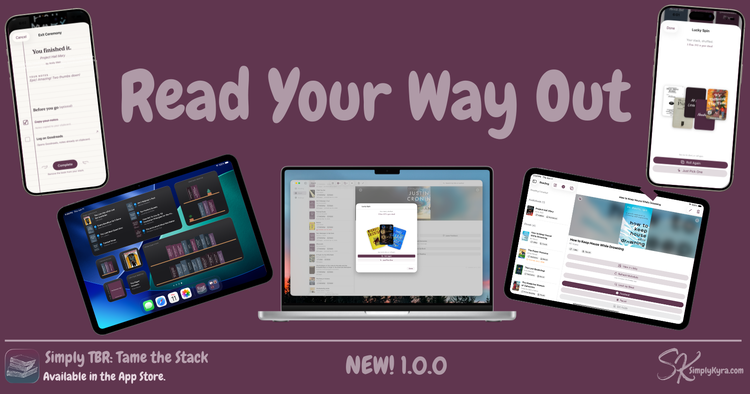
Simply TBR 1.0.0: Read Your Way Out

A while back I got a Goodreads email about a new release by an author I'd read often before... Exciting!... until I realized it was book three of a series I love and I'd somehow missed book two entirely. What???
So I went looking. And found the second book in the series already sitting in my Kindle library. I'd added it from NetGalley already... months ago. Right next to book three, which I also already had. Between that and going onto Goodreads to check the series I'd needed to use three apps just to piece together what I actually owned.
That was the moment that sparked something... but I'd been needing something for a while. Over the last several years life had gotten busier and my feedback ratio had quietly slid from somewhere over 80% to down in the mid-fifties... some of it was completely valid... I'd started SimplyKyra, moved two times, and life got busier... but I'd also started feeling disconnected to the books.
With the spark above I knew I needed to make what had become invisible and keep it available... I'd been attempting this on a smaller level over the years by moving and reorganizing the Kindle, Libby, and Audible app icons on my phone screen and then adding their widgets to show my actual books but it wasn't working and my TBR stack was getting bigger.
So I built the thing I needed. And was surprised by just how many books I had.
It's live! Simply TBR: Tame the Stack is now on the App Store for iPhone, iPad, and Mac.
What It Is
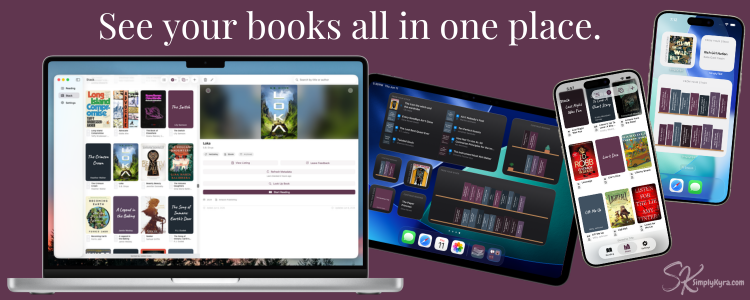
One calm place to see every book you actually have access to right now... your NetGalley shelf, Kindle library, Audible audiobooks, Libby loans and suspended holds, the physical books on your shelf, all of it. One stack. Real covers. No switching between apps to remember what you own.
It makes that invisible pile fully available and helps with the question that comes next: what should I read?
See Your Entire Stack
Import your books
Connect the sources you use and the app pulls everything together. Books you add by barcode, ISBN, file, or screenshot sit right alongside the imported ones. Covers are fetched automatically... which matters more than it sounds because a wall of real covers is what makes the pile feel like books again instead of a list of forgotten titles.
Widgets
Keep the stack visible without needing to open the app with two widgets... From Your Stack surfaces unread TBR books on your home screen while Continue Reading keeps your in-progress books in sight. Both let you choose how you see your books whether that's in a list, book covers, or a little bookshelf of spines. From Your Stack lets you customize by format or source so you can add multiple widgets all showing different book subsets.
Start Reading
Read
Start as many books as you want. Started books show up in the Reading section and appear in the Continue Reading widget allowing you to be reminded of them and have easy access to add notes as you read keeping track of your thoughts as you go.
Pause or Set Aside
If you aren't feeling the book, easily pause without guilt. Debating making it a DNF (did not finish) but waffling on your choice? There's also a set aside option in case you want to differentiate two types of pauses.
Perfect also if you ran out of time on a library book. Jot your notes down, pause the book, and it's waiting for you when the hold comes in again.
Lucky Spin
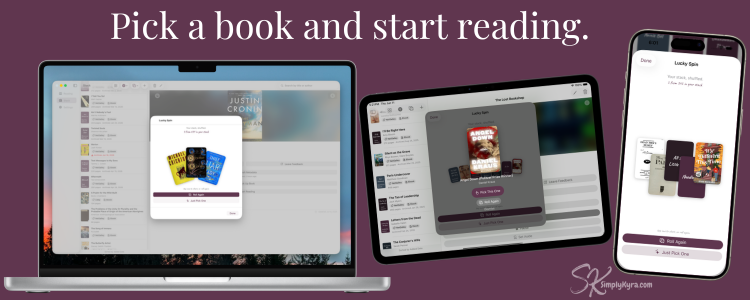
Can't decide which book to read? Beyond browsing and widgets there's Lucky Spin. Tap it and the app fans out a random handful of books from your stack... choose from three, five, or seven books making the selection simpler. Still not sure? Pick One chooses for you or try another roll of the books.
Finish the Book
DNF
Pause or set aside the book if you're unsure. When you're ready to be done simply delete the book. It leaves your stack without any ceremony. And if you change your mind? You can add it as a fresh book. No notes. Blank slate. And get back to reading.
Exit Ceremony
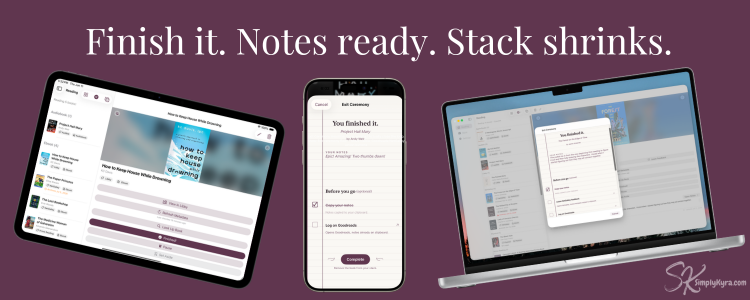
Finishing a book deserves a moment. When you mark a book as Finished an exit ceremony pops up with any notes recorded ready to copy. There's a list, based on where your book came from, offering quick links to any potential steps you may want to take including: opening your NetGalley review page, returning your Libby loan, handing your thoughts off to Goodreads. When Complete the book leaves your stack for good. Confetti optional but highly recommended.
What It Is Not
There are tons of book trackers out there already. Everyone has their favorite one. Simply TBR is not a reading tracker, a wishlist, or a social app. No judgment about how long a book has been sitting there and when you finish a book it doesn't join a trophy shelf... it simply leaves. The whole point is a visible storefront you can shop from and a, potentially, shrinking pile.
If you want to celebrate your reading history other apps do that beautifully. This app is for the books you haven't read yet.
Free and Connected
The free tier is genuinely useful... add books by barcode, ISBN, file, or by hand, with Lucky Spin, notes, the Exit Ceremony, and both widgets all included. The Connected subscription ($1.99/month or $14.99/year) unlocks one-button importing from NetGalley, Amazon, Audible, and Libby, plus screenshot import, Author Watch, and the bulk metadata tools.
Free or Connected... either way your books stay in your stack. Always.
Ready to Tame the Stack?
I built this for my own overwhelming shelf first, and it's already changed how I read... I can finally see what I have. I hope it does the same for your pile.
And if you have any questions feel free to check out the FAQs or main page.
Thanks for following along. And like always... I hope you're having a fantastic day.
— Kyra 💕
Did this save you time?