Simply Customize It 1.4.0: One Button Recovery Is Here

I'd been wanting to say one-tap button recovery for a while now but kept stopping myself... there were still several buttons needed in the Template and Screen area first. This update, once set up, finally makes it true.
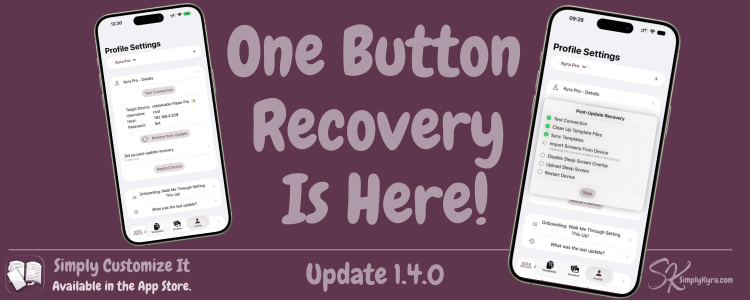
Post-Update Recovery
Every time reMarkable pushes a software update it forgets your custom templates, sets its own screens, and turns the sleep screen overlay back on.
This update adds a recovery flow that you can set up once (per device) and from then on you have a one-tap button restore when an update wipes your changes. Toggle on or off each step and choose whether you want to upload a single screen or a group of screens.
It does need a subscription for either templates, screens, or both to access. If you have templates you can clean up your templates and then sync with one button. With Screens you can import the current screens, disable the overlay, upload your chosen screen or group. If you have All Access it does the template steps then the screen ones. In all cases your reMarkable won't restart until the end.
Once you're set up one button now really does mean one button.
Catching PNG Images Before The Upload
When you set a template or screen PNG that's the wrong dimensions for your device the app now warns you so you can catch the issue before uploading to your reMarkable saving you time. You still want to upload it... that's fine. It's not a stopping step simply a just-in-case it's needed message.
Sorting, Filtering, and a Few Visual Fixes
I spent some time looking over filtering, sorting, and grouping across the app and tightened up some inconsistent issues I noticed along with the accent color usage along the way.
And Beyond
I also fixed the reMarkable Paper Pro Move using the wrong custom onboarding image for the black template (the new warning text is actually what tipped me off), corrected the default categories that get wiped during onboarding, and made sure those categories now carry over properly when a device is duplicated. I also added a note in the About Us section thanking Citadel the open-source project that handles the app's secure connection to your reMarkable.
If anything feels off or isn't working the way you'd expect, please reach out. I'd love to hear from you.
Until next time, Kyra 💕
Did this save you time?