
Simply TBR 1.2.0: Add It, Share It

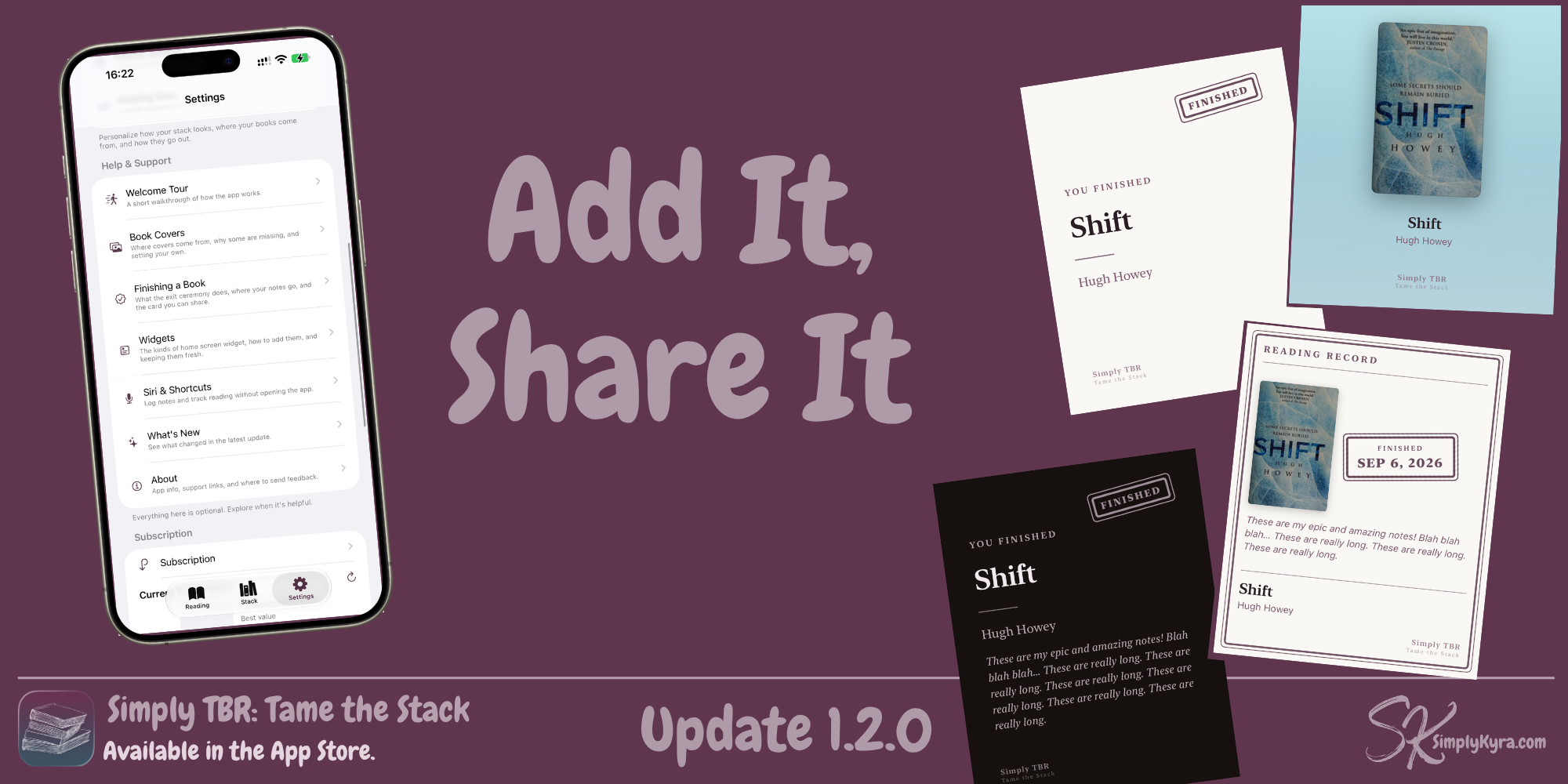
Since the last update I'd started adding additional changes to the image you can share whee you finish a book.... then I realized what if the book had to cover and went to add a quick test book to check. This went fine but the process was clunkier than I remembered. Despite it being adequate it still bugged me and I thought of the search ability I added to the book display awhile back when my book was misidentified... so I combined that to add a new, free, way to add to your stack.
Adding a Book by Search
You can now search for a book directly and add it to your stack with the cover and details set already. Like the others add methods, tap the plus button, choose Add by Search, type it in, and choose from the results. You can customize where it's from and what type of book it is (physical, ebook, or audiobook) but the rest of the details are filled in for you.
Libby Import Fix
This update actually started back on my way home from vacation when I checked out a new Libby book and realized it wasn't being recognized when I tried to import it into my stack. It was the first thing I did when got a chance to turn my computer on once I got home.
More Share Cards
I really love the two share cards I added in the last update... and wanted more of them. And so I did that... which led to more choices including one with a note, several without, and two you can choose... plus each one can be shown in light or dark mode.
And Beyond
While working on the Share Cards I found myself bouncing between them, the Your Choice default settings, and the help pages. Each bounce added changes and in the end I removed More Info and moved it's contents up into Help & Support, combined the two widget pages, added images when setting the default card in Your Choices , and added a new help text section to explain the Exit Ceremony better.
And with that a new update was released.
If anything's missing that you wish it pulled from, I'd love to hear from you. I'm always looking to improve Simply TBR.
— Kyra 💕
Did this save you time?