
Simply Remember It 2.2.4: Counting the Days Between

My daughter's orthodontist gear used to be expanded once a week. And Simply Remember It was perfect at helping us remember. Then the orthodontist switched it to twice a week and I didn't want to overcomplicate the app for one simple edge case... so I switched the task to once every three days knowing every second time we'd need to let it go overdue one day... so ideally expanding every three days, four days, three, four... and on. I then found myself repeatedly opening her entry history just to count backward and check... and realized I should add that in as that's something general enough to be helpful for more than just me.
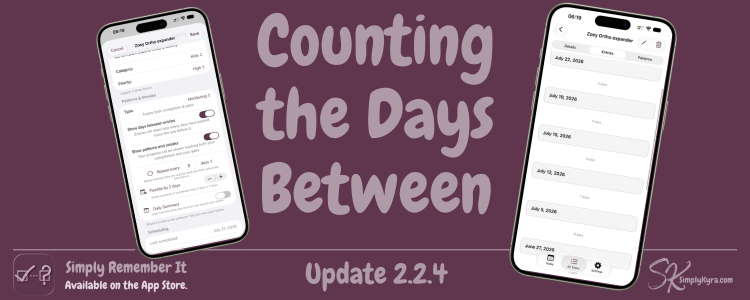
Days Between Entries
You can now see the number of days between each entry. No more scrolling to check and counting backward in your head. I first added it to show when metrics were turned on, but I realized plenty of people who don't track metrics might still want this so it's now available on its own. If you don't want to see it you can toggle it off per task.
A Few Smaller Things
Beyond the entry count I also updated categories for a bit more clarity when filtering and organizing tasks, refined the dark mode alert accent color, cleaned up delete all and multi-select behavior, and included a fix where a purchase wasn't showing as seen right away.
If anything feels off... please reach out. I'd love to hear from you.
— Kyra 💕
Did this save you time?