
Simply Customize It 1.5.0: Straight from Your Photos

I was playing with getting a different app to show up more in Spotlight and Shortcuts, for quicker entry, and that got me looking at Simply Customize It more critically. Until now, turning a photo into a template or sleep screen meant starting inside the app and then looking for the image. 1.5.0 flips that around so you can start from the photo itself.
Side Note: After submitting this update to Apple App Store but before it was approved I noticed an issue with the reMarkable 3.30 beta where custom templates don't seem to work anymore. I'm not sure it's solvable but am sharing now in case you want to hold off on your reMarkable update.
 Kyra

More information here. Links to reel and reddit question included.
Share Photos
When you're browsing your photos and happen to see something you know would look great on your reMarkable you no longer need to open Simply Customize It to use the photo.
iOS
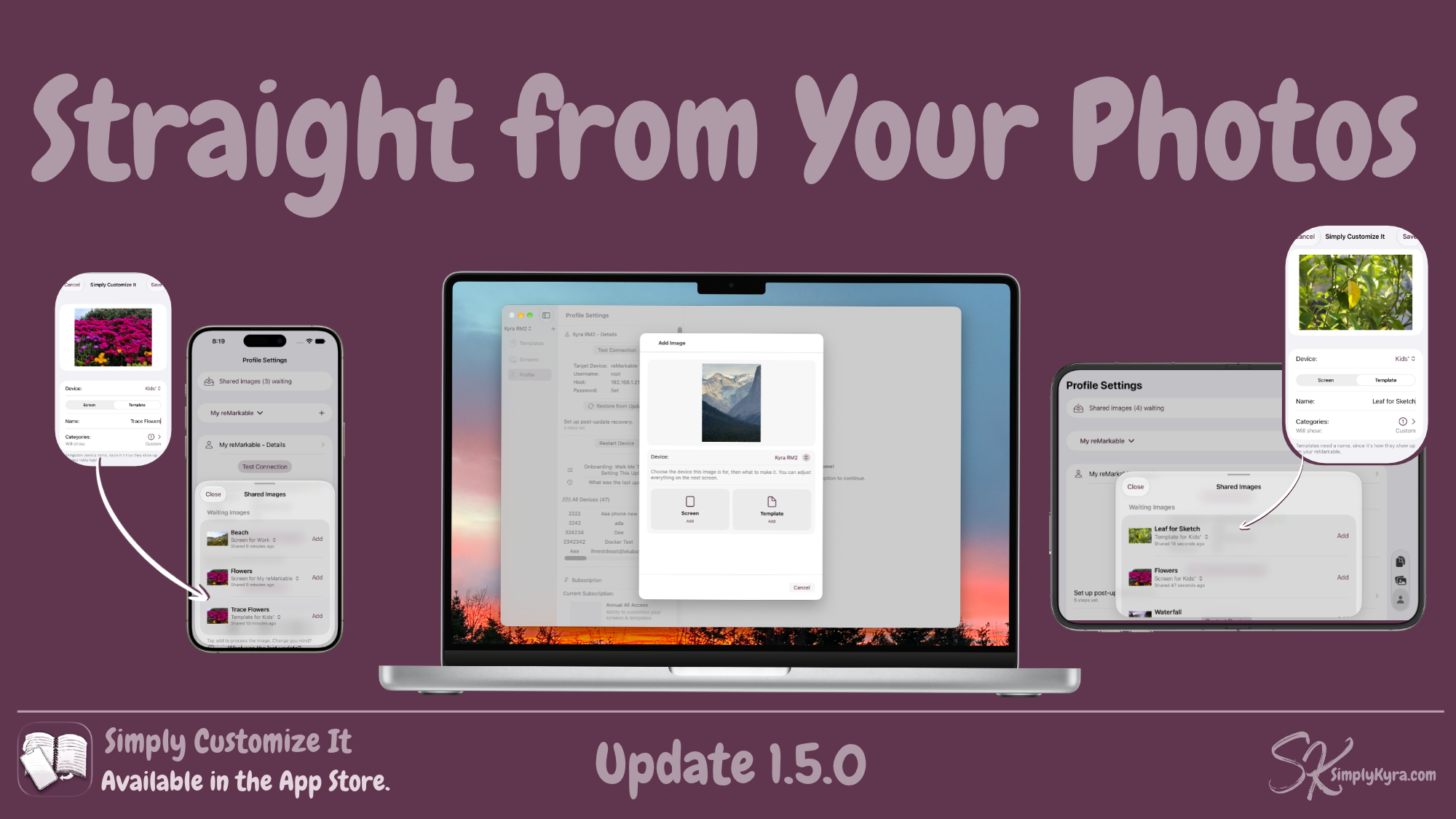
For iOS you can now simply hit share, chose Simply Customize It from your list of apps, and a sheet opens. It shows your image, a dropdown of your current device(s), let's you pick between screen and template, a name, and, if template, assign the categories. All are pre-assigned or filled in case you want to hit save and think about it later. Then hit save and go back to browsing your photos.
When ready open the app and the shared photo(s) are waiting for you to finish it off. Switch them between template and screen or your other devices and tap add when you're ready to add them. Or delete. Simple as that.
MacOS
On the Mac it's a bit different have photos and and the app open? Drag and drop your photo over. It will see it, let you choose who to assign and whether it's a screen or template. The new screen or template will open ready to for you to finalize and save... or cancel if you change your mind.
Shortcuts
If you use shortcuts there are now two new actions:
- Run Post-Update Recovery allows you to choose your device and, when run, opens the app and starts One Button Recovery.
- Upload Sleep Screen allows you to choose the screen (with its device) and what it’s uploaded as, like your sleep screen, for quicker screen recovery.
Both shortcuts open the app to run, so you can check your reMarkable is on, confirm, and watch it work. It’s simply quicker entry.
And Beyond
When updating my reMarkable without a subscription I realized the One Button Recovery could be a little annoying. Now you can subscribe directly from there.
I also noticed a couple of submitted crash reports (thank you), so I fixed a crash on iPad when sharing or downloading a file... and a sheet resizing crash on macOS 27. I’ve also set things up so I’ll notice that kind of crash right away while testing, in this app and my others, so I can fix it before it ever reaches you again.
And if something ever goes wrong with your data, the app now explains what happened more clearly and includes more information instead of leaving you guessing.
If anything feels off or isn't working the way you'd expect, please reach out. I'd love to hear from you.
Until next time, Kyra 💕
Did this save you time?