
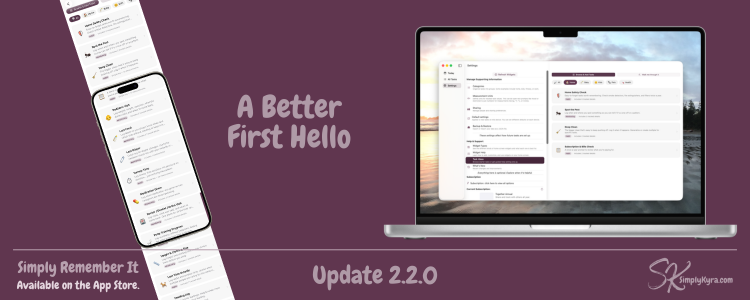
Simply Remember It 2.2.0: A Better First Hello

The first thing someone does in Simply Remember It matters more than almost anything else. If they get it and if something clicks they start logging. They come back. The app quietly does its job. But if they don't, they leave. And the tool that might've helped them never gets the chance.
I've been thinking about that moment for a while... which led to this update.
What Changed
The old onboarding walked you through the app step by step. It was fine and offered more support than going through the main app which is what you want the first time... but I kept wondering if it was asking too much too soon before anyone was able to see what was possible.
So I rethought it.
Now, the first thing you see is Task Ideas offering you a browsable collection of real tasks you can add directly to your app, organized by category. Things like:
- 🏠 Home Safety Check
- 🐛 Spot the Pest
- 🧹 Deep Clean
- 👶 Pediatric Visit
- 🍼 Last Feed
Each one comes with a description of what it tracks including additional information so you can see the whole picture before committing to anything.
You can browse and add tasks yourself, or if you'd prefer to be guided, the original walkthrough is still there... now tucked under Walk Me Through It.
The idea is simple: instead of being told how the app works, you get to see what it can actually do for you. That felt like a kinder place to start.
Why This Felt Important
Simply Remember It is one of those apps that's hard to explain in the abstract. The quick:
it tracks when you last did things
... is technically accurate. But it doesn't tell you anything about the relief of never wondering when did we last change the water filter? again. Of finally having a record of your kid's last pediatric visit measurements in one place. Or confidently answer your toddler when asked how many nights they've been dry. Spotting your daughter's task disappear as they take initiative and record their own habits.
The Task Ideas screen tries to bridge that gap. Not by explaining the concept... but by showing you a version of your own life that you might recognize.
If you see Last Feed and you're nursing a newborn... you get it immediately.
Everything else in the app is the same. Like always there was slight polishing here and there but the main bit was the quiet but intentional shift in how new users first find their footing.
If you haven't tried Simply Remember It yet nows the time. Try it out for free here! And, as always with any of my apps, if something feels off reach out. And if you'd love to see a specific task idea that isn't there yet let me know that too! I'd love to hear from you.
Here's to fewer wait, when did we last...? moments.
— Kyra 💕
Did this save you time?