
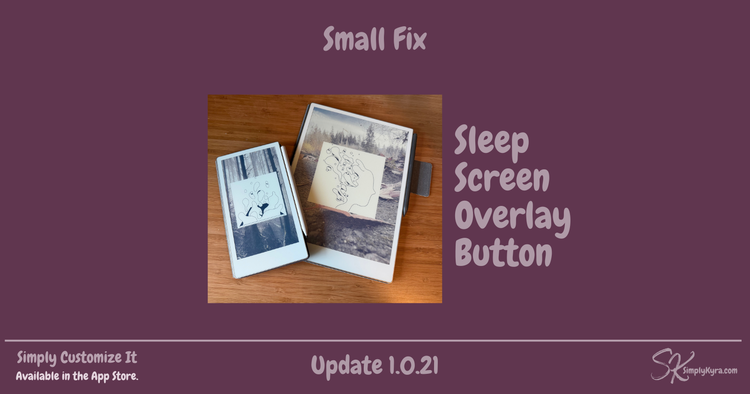
Simply Customize It 1.0.21: Small Fix for Sleep Screen Overlay Button

This is a very small update, but an important one if you’re using the new Disable Overlay button that was added recently.
That button disables the rotating sleep screen overlay that was introduced on the reMarkable Paper Pro and Paper Pro Move in the reMarkable OS 3.25 beta.
What happened
After releasing version 1.0.20 I received an email that made me realize I’d missed a critical step in one specific case.
If you tried to disable the rotating sleep screen overlay before the reMarkable filesystem had been remounted as writable, the command would fail as the device was still in read-only mode.
In other words:
- The button existed
- The logic was correct
- But the underlying command couldn’t complete unless the device was explicitly remounted first
That’s on me.
What’s fixed in this update
In 1.0.21, I’ve updated the button execution so that it now:
- Ensures the reMarkable filesystem is mounted as writable
- Then runs the command (added in the last update) to disable the rotating sleep screen overlay
This makes the button reliable and safe to use, regardless of the device’s current mount state.
No new features. No UI changes. Just a correction to make sure the tool does what it says it does.
Why this matters
Technically, you could work around this by syncing, importing, or uploading templates or screens first (which would remount the filesystem as writable), and then disabling the overlay.
But I wanted this to work regardless of the order you use things in.
Simply Customize It is designed to remove friction and guesswork; not add to it. When something doesn’t behave as expected, even in a narrow edge case, it’s worth fixing quickly and cleanly.
What was the 3.25 beta update?
If you missed it, here’s the context:
 Kyra
Kyra
This update introduced a rotating set of images layered over the sleep screen image. This behavior currently does not affect the reMarkable 2.
Following that, I released:
 Kyra
Kyra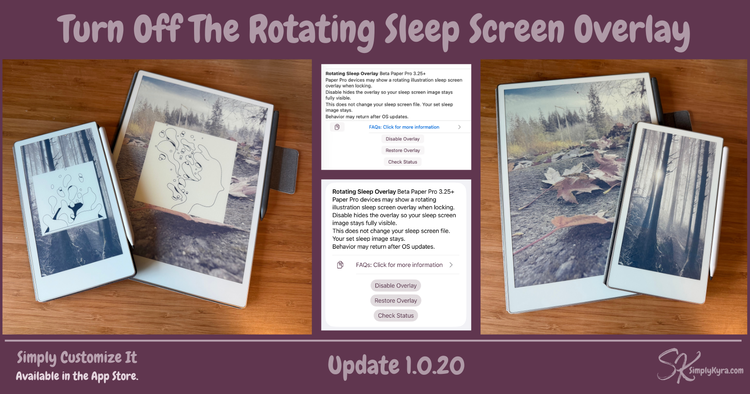
I was able to figure out how to turn off the overlay and shared the ability with you.
Updating
This update is being submitted as a standalone patch.
If you’re already on 1.0.20 and using the sleep screen overlay toggle I recommend installing 1.0.21.
As always, thank you for the emails, messages, and quiet hey, something feels off here notes... they genuinely help make the app better.
💕 Kyra
Did this save you time?