Simply TBR: Tame the Stack - Press Kit
Contact: Kyra Delaney - mail@simplykyra.com
Fact Sheet
- App: Simply TBR: Tame the Stack
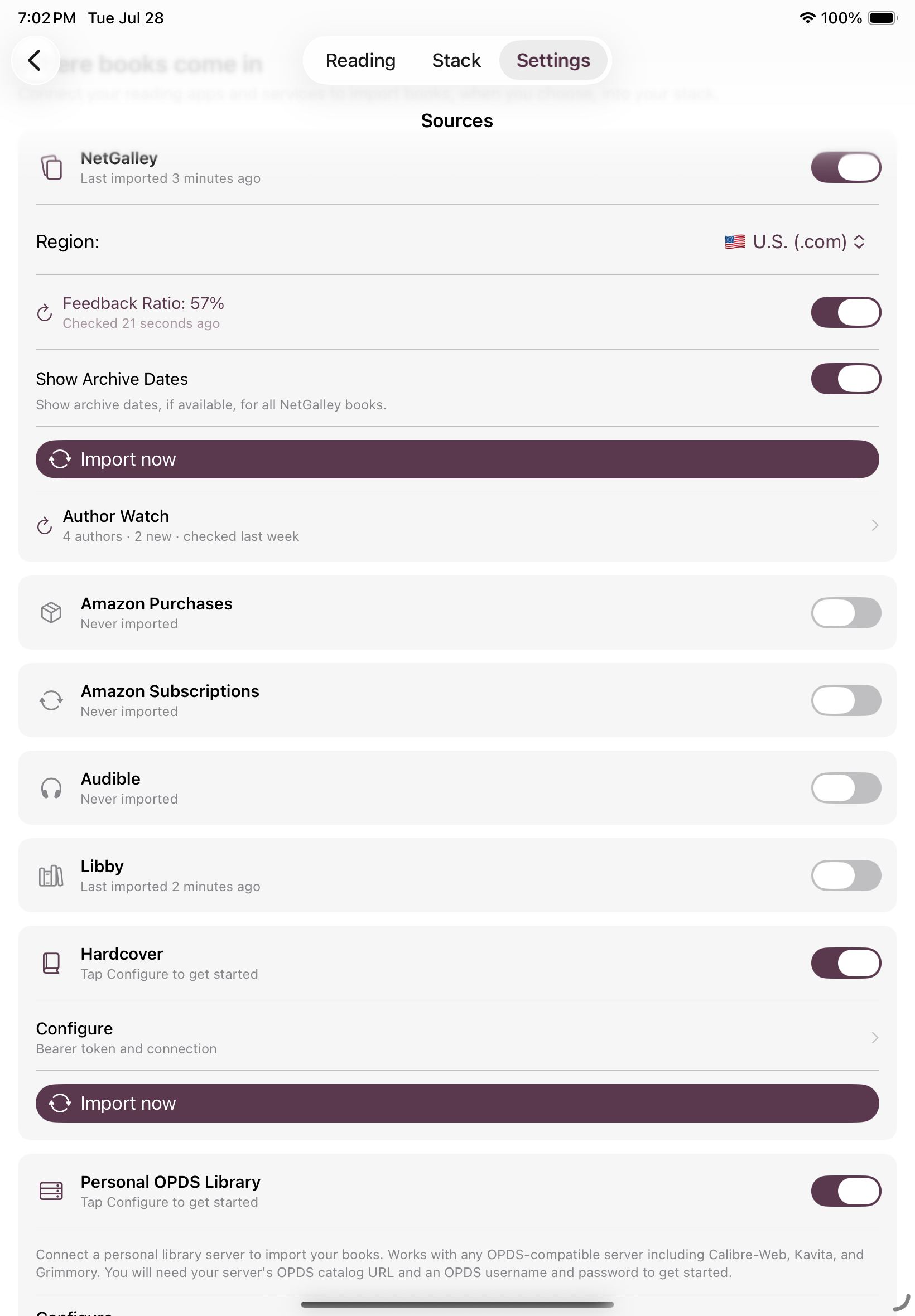
- What it is: A reading backlog manager that pulls your NetGalley shelf, Kindle library, Libby loans, Audible library, Hardcover, and self-hosted OPDS libraries into one calm place, so you can see what you actually have and pick what to read next.
- Price:
- Free to start. Includes: manual add, barcode scan, ISBN entry, widgets, Lucky Spin, Exit Ceremony, notes.
- Connected subscription ($1.99/month with 3-day free trial or $14.99/year with 7-day free trial) Unlocks: importing from NetGalley, Libby, Kindle, Audible, Amazon Subscriptions, Hardcover, and OPDS, plus Author Watch and bulk metadata tools.
- Platforms: iPhone, iPad, and Mac · iOS 17.0 or later, macOS 14.0 or later
- Release date: June 25, 2026
- Developer: Kyra, SimplyKyra LLC, based in the Pacific Northwest
- App Store: https://apps.apple.com/app/id6770712702
- Website: https://www.simplykyra.com/simply-tbr/
About Simply TBR
Simply TBR is a calm reading backlog manager for people whose TBR (to-be-read) pile has quietly taken over. Books can be manually added but it shines for combining electronic unread books scattered across multiple apps like NetGalley, Kindle, and Libby offering a single place to see what they actually have access to right now. Free to start, with a Connected subscription unlocking automatic imports.
Kyra built Simply TBR after discovering she'd missed two books of a series she loved just to discover she already owned them and they were sitting unread in her Kindle library from NetGalley, forgotten for months. Four apps had to be pieced together just to see what she already had. Simply TBR answers one question: what do I actually have, and what should I read next?
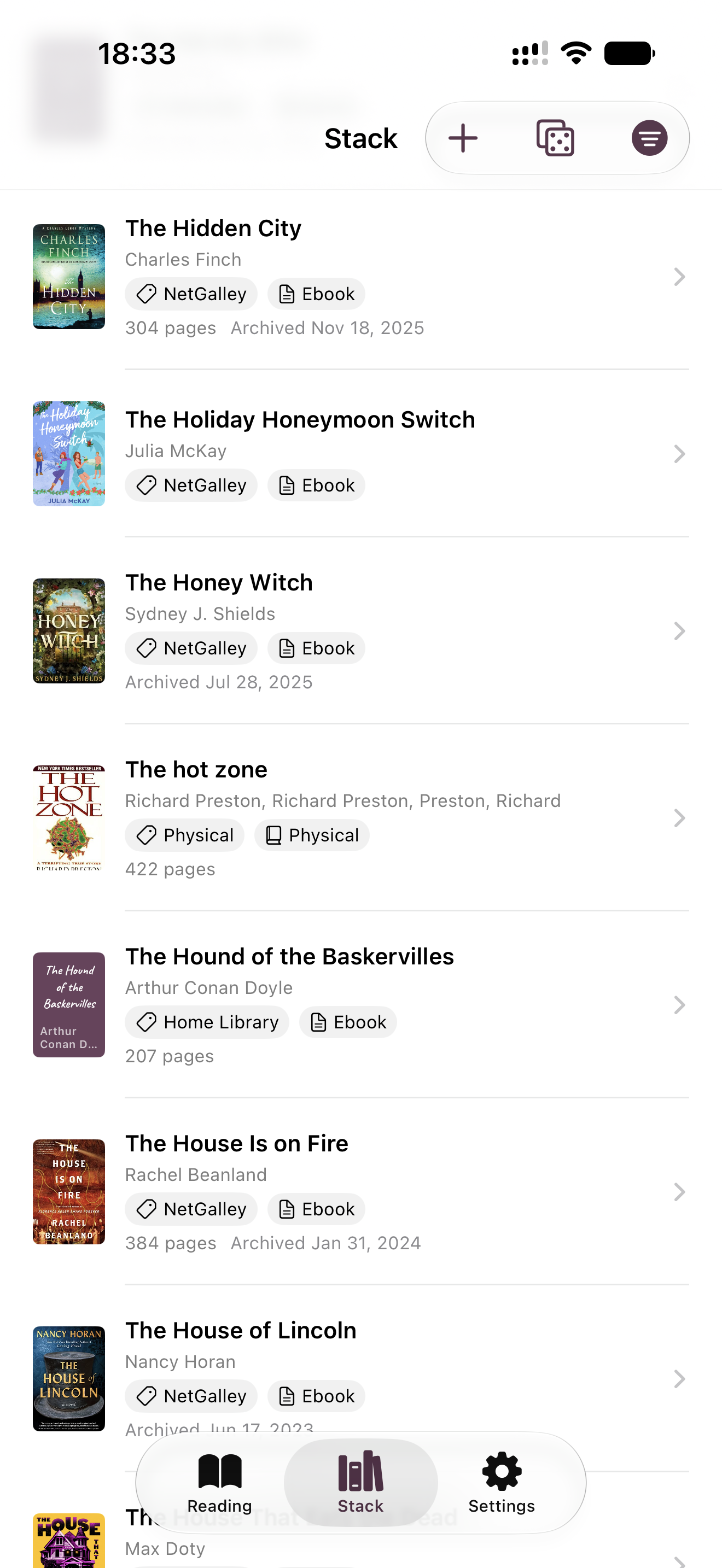
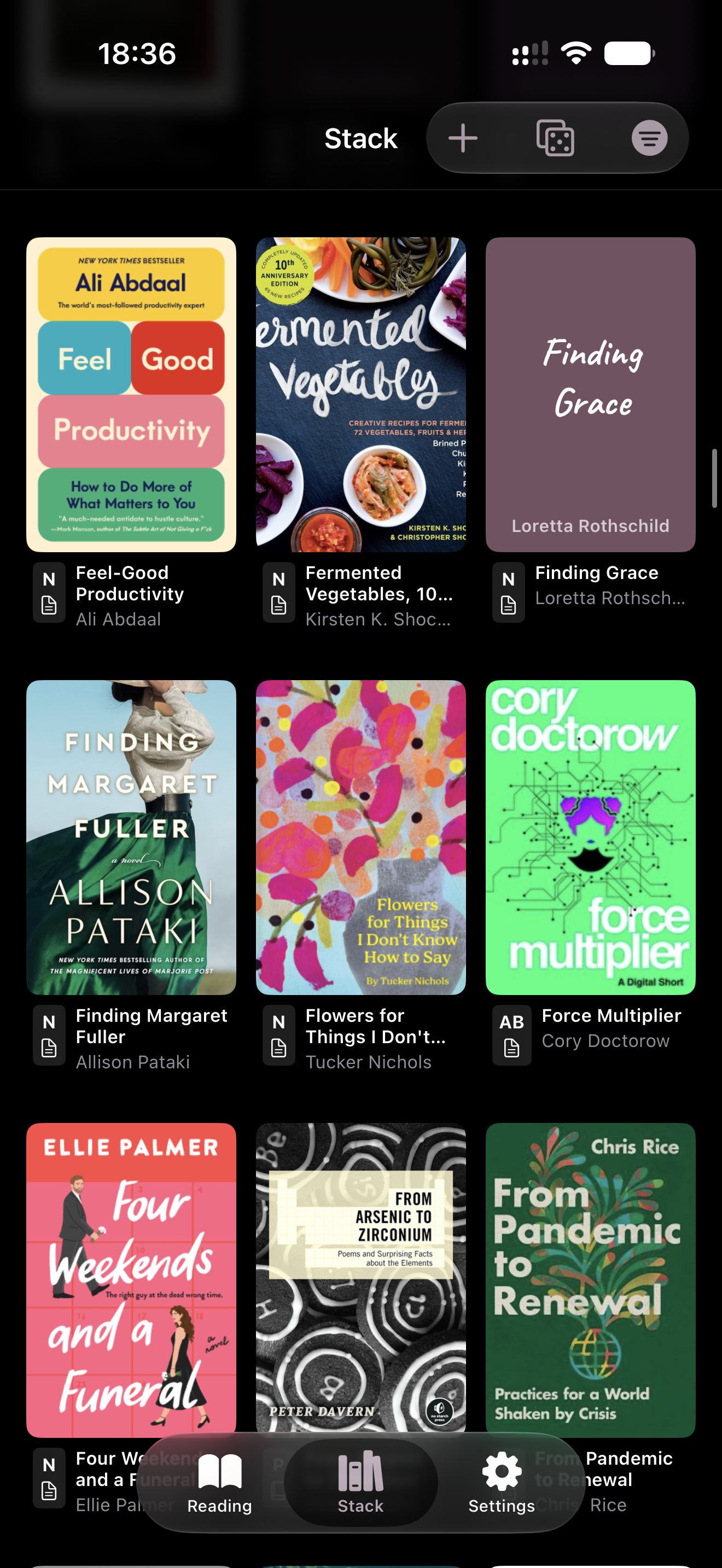
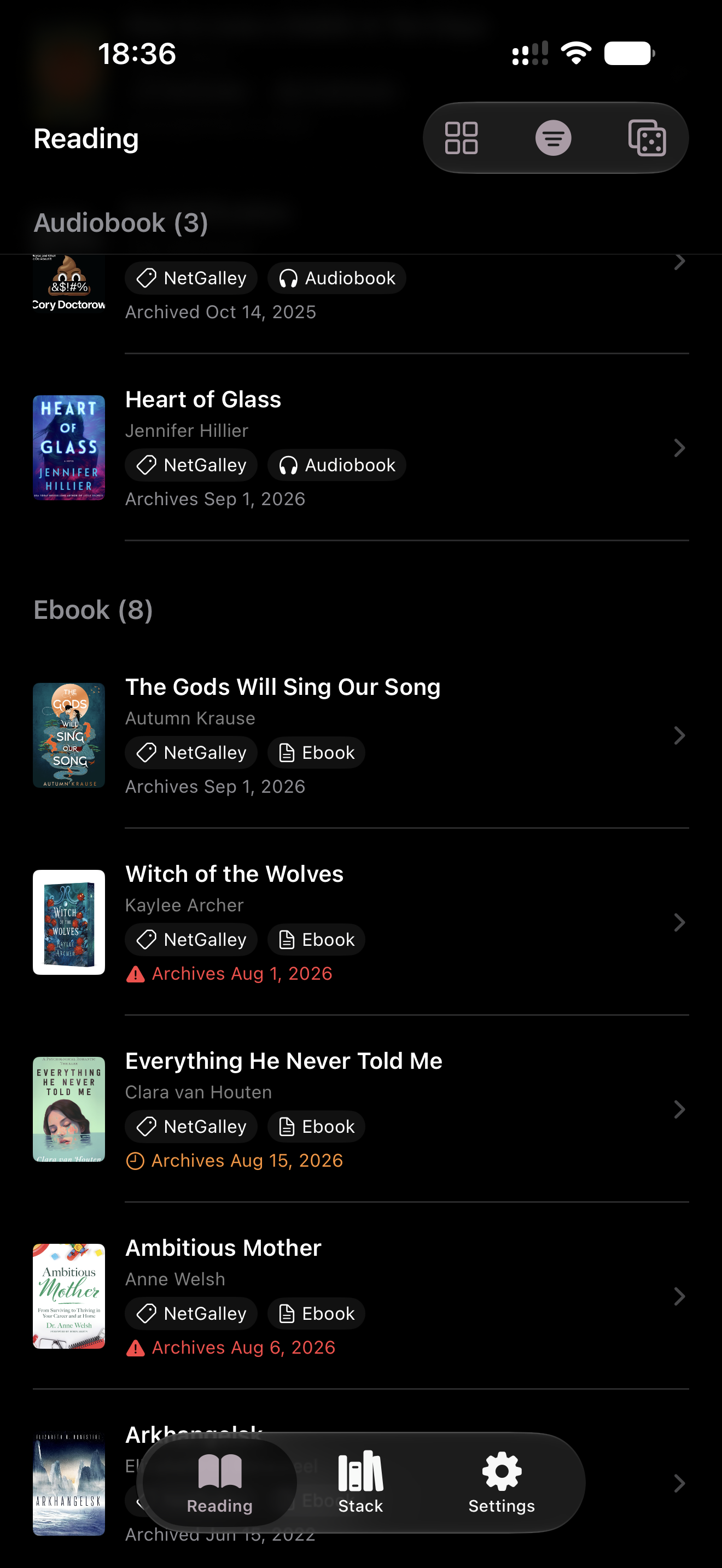
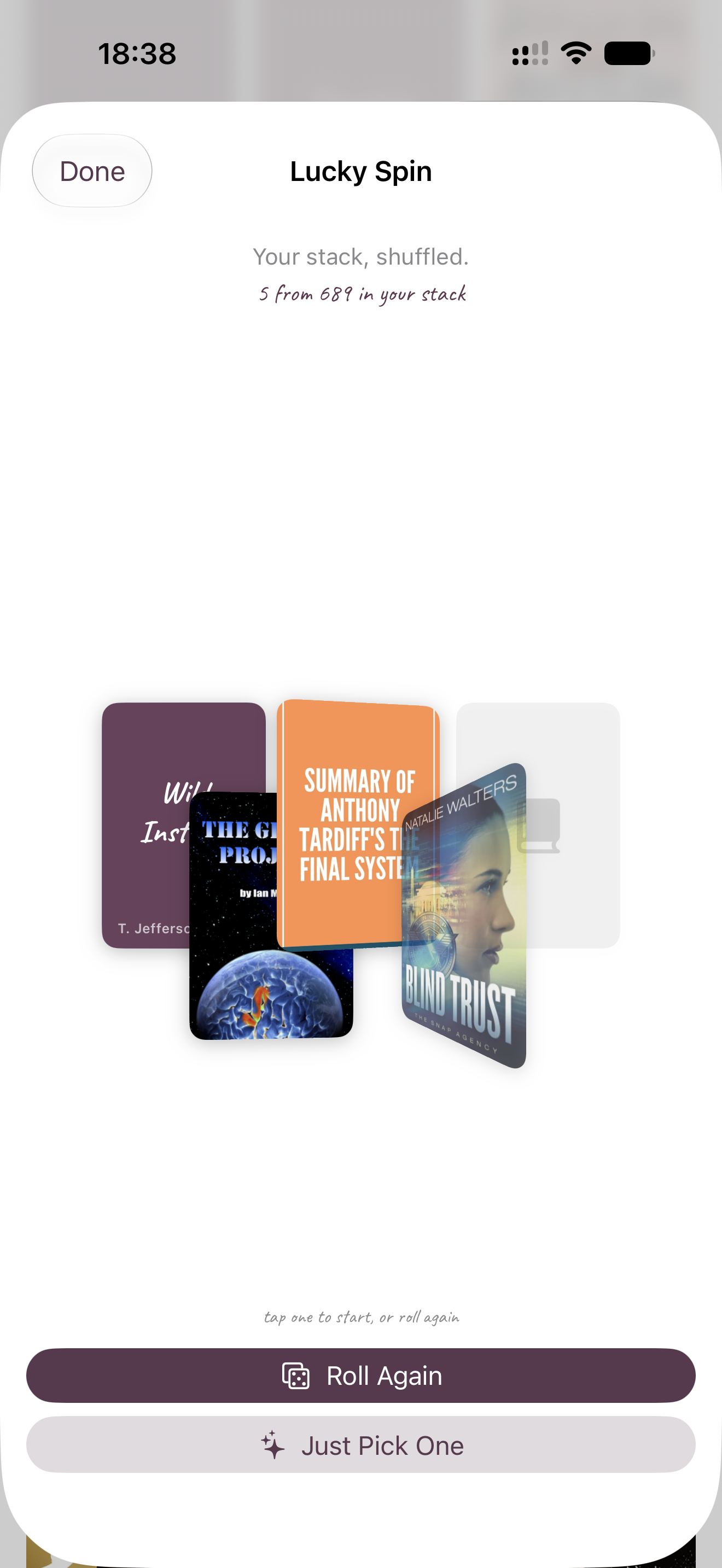
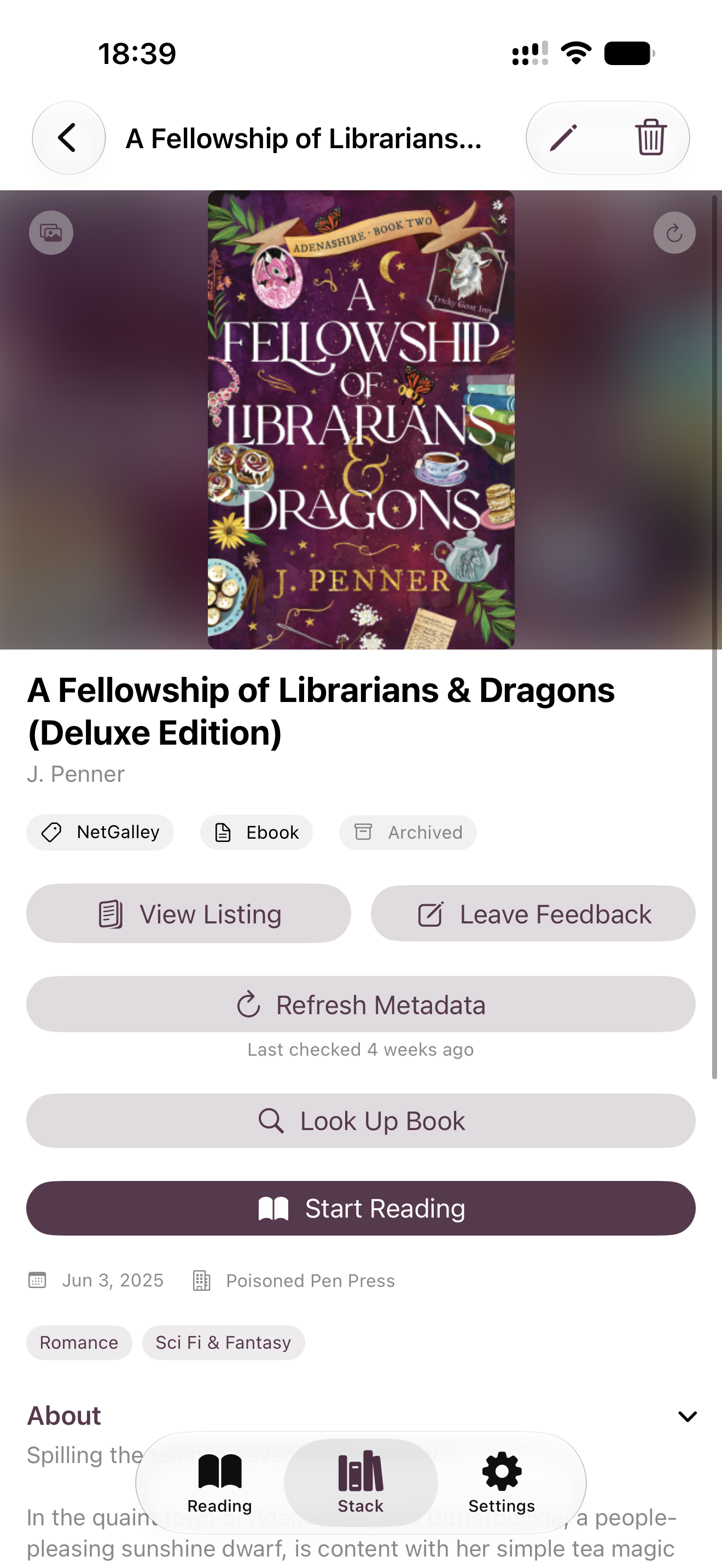
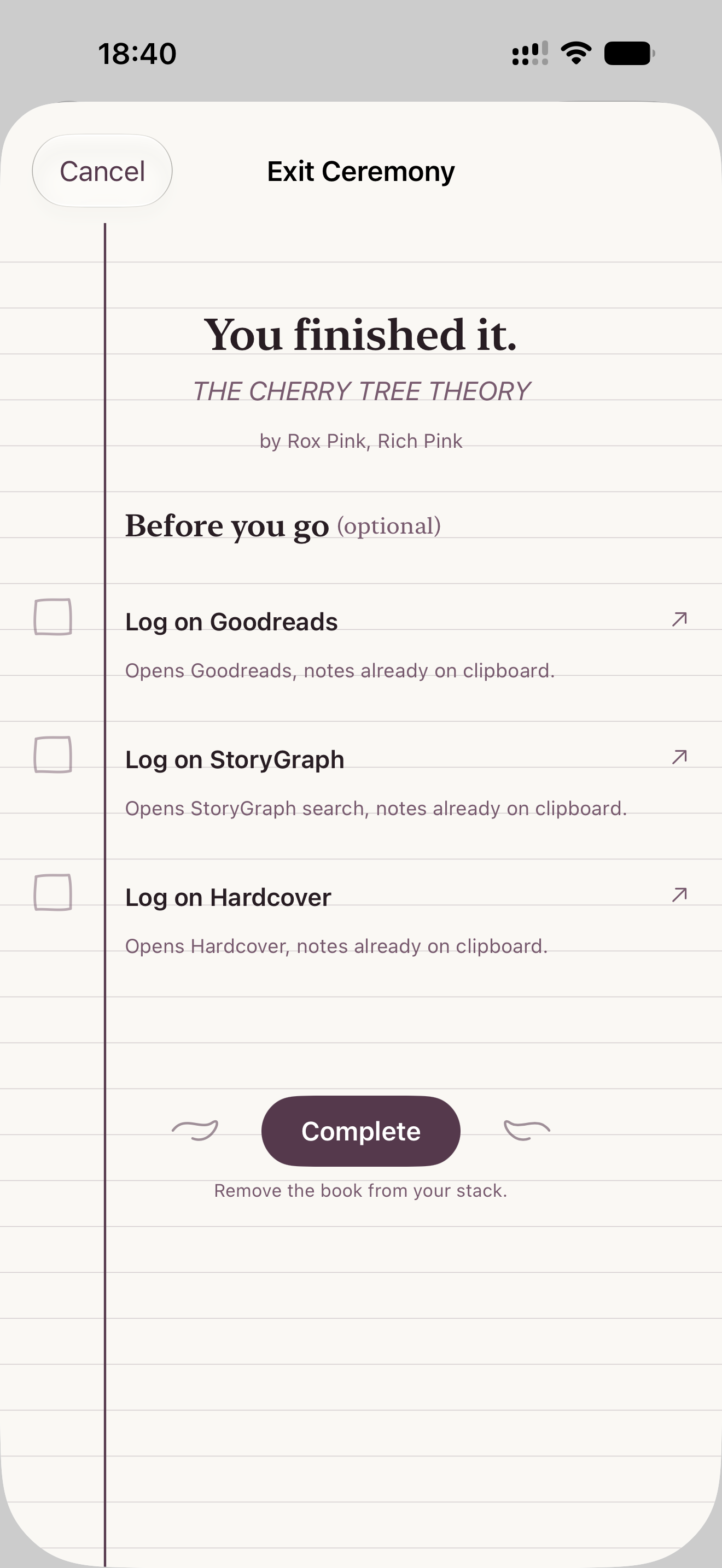
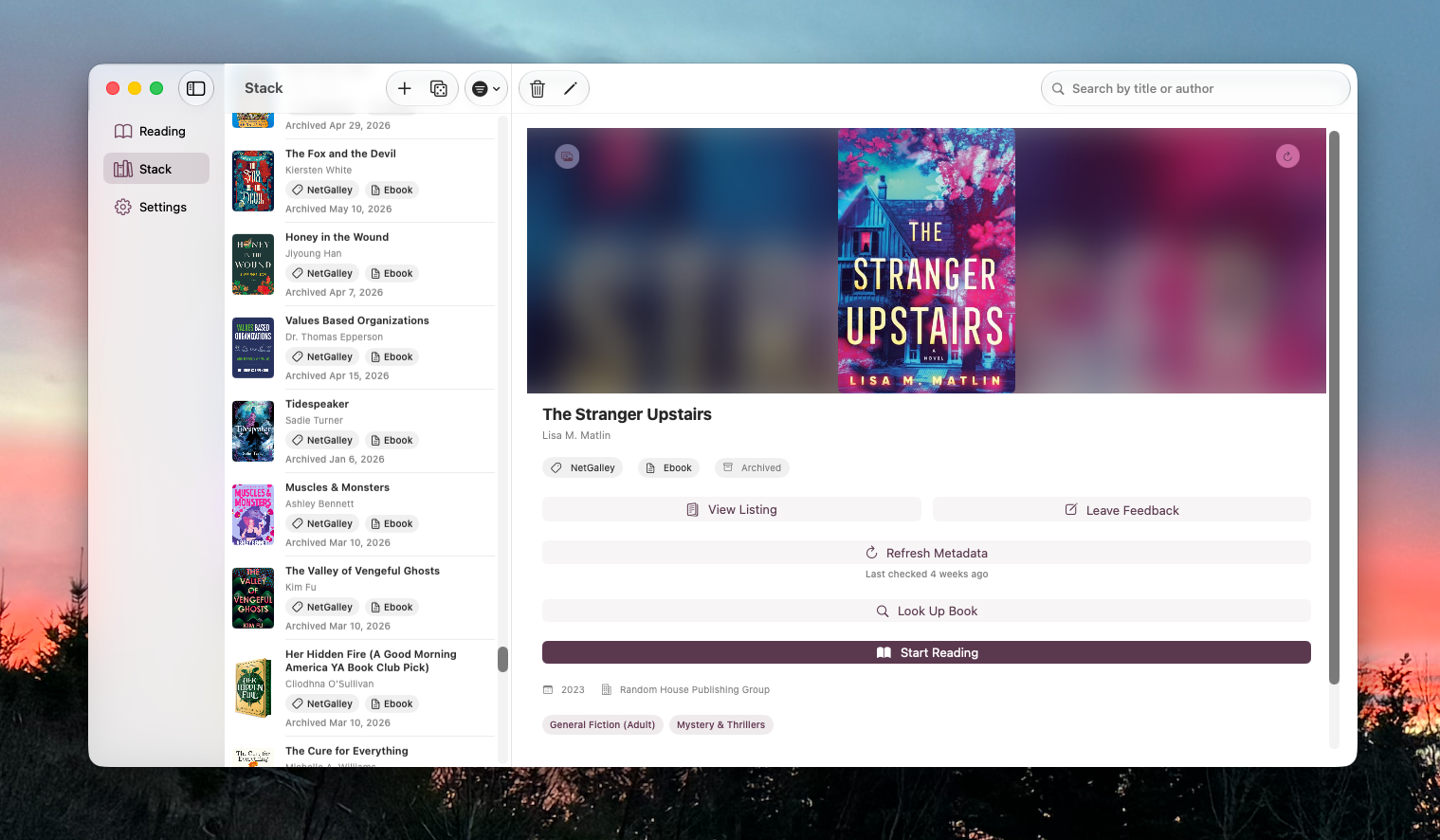
The app is deliberately not a reading tracker, a catalog, or a social platform. Books are added by barcode scan, ISBN entry, manual entry, or by connecting NetGalley, Kindle, Libby, Audible, Amazon Subscriptions, Hardcover, or a self-hosted OPDS library like Grimmory or Calibre-Web. Every book shows its real cover, its source, and its format in one browsable stack. When a reader can't decide what to read, Lucky Spin surfaces a random subset of 3 to 8 covers rather than the full, overwhelming pile. Finishing a book triggers an Exit Ceremony that copies notes to the clipboard and hands the book off to Goodreads, StoryGraph, Hardcover, NetGalley, and/or Libby before deleting it from the stack.
The design ethos is calm and non-shaming throughout: no ratings, no streaks, no scores, and no judgment about how long a book has been sitting there. The emotional job is relief, not record-keeping.
Key Features
- Add books via ISBN barcode scan, CSV import, or manual entry.
- Connect NetGalley, Kindle, Libby, Audible, Amazon Subscriptions, Hardcover, or a self-hosted OPDS library to import automatically.
- Every book shows its real cover pulled from Open Library and optionally Hardcover.
- Lucky Spin surfaces a random subset of 3 to 8 covers so readers can pick without facing the whole pile.
- Per-book notes support active reading, from start to finish.
- Exit Ceremony hands finished books off to Goodreads, StoryGraph, Hardcover, NetGalley, or Libby, then deletes them from the stack.
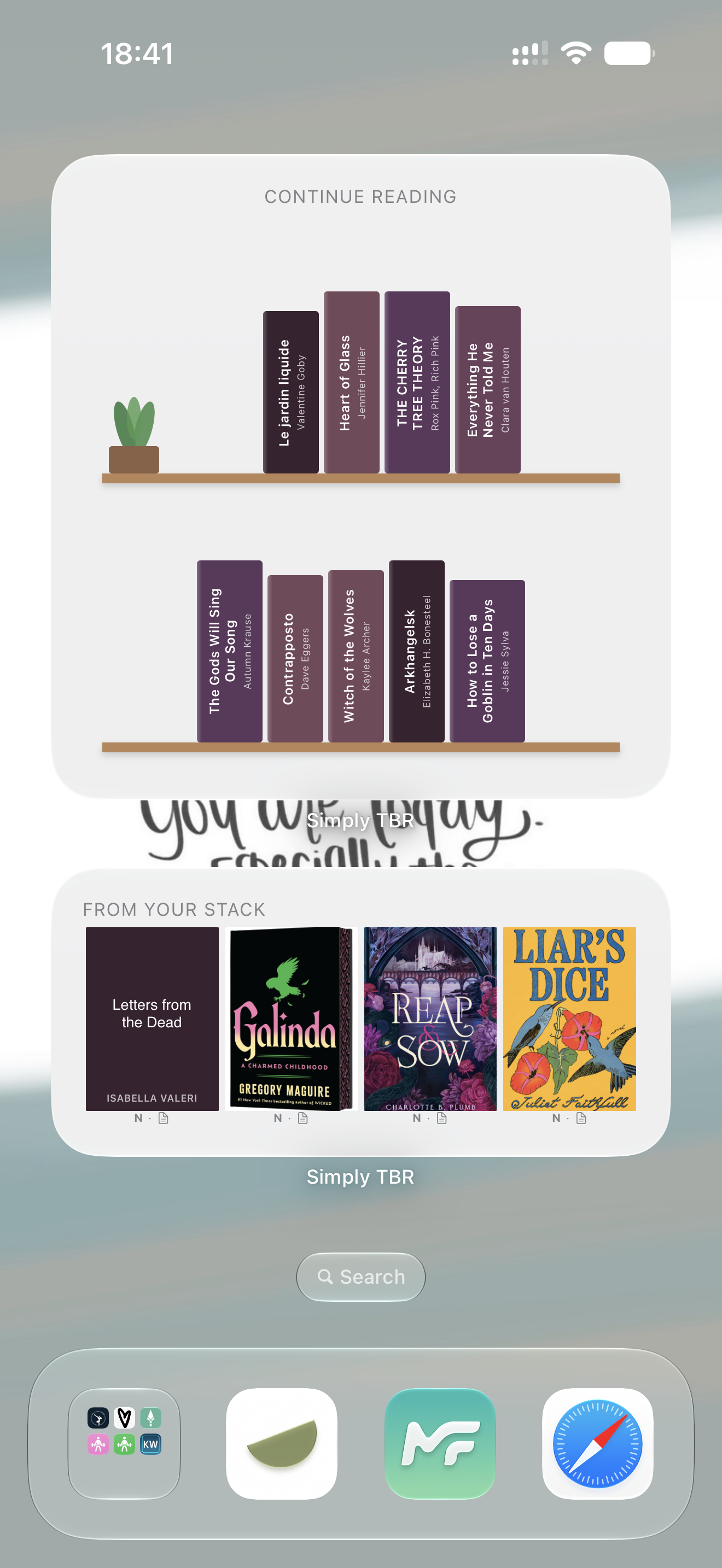
- Two home screen widgets show today's pick and currently in-progress books.
- No ratings, no streaks, and no scores. Simply relief, not record-keeping.
Images
Images shown below are also available in the Press Kit download.
Download Press Kit
The images above along with a 1024×1024 app icon are included in this zip.
See More
See Simply TBR in action with reels on YouTube. Or check out the recent updates.
About the Developer
Kyra is a solo indie developer at SimplyKyra LLC, building calm-tech Apple apps from the Pacific Northwest. She has a computing science background in bioinformatics, stepped away from Windows enterprise development to raise her daughters, and returned to building through blogging and app development. Simply TBR is her most recent app, alongside Simply Remember It, Simply Customize It, and two ad-free games.
Contact
Kyra Delaney - mail@simplykyra.com