> ## Content Index
> Fetch the complete content index at: https://www.simplykyra.com/llms.txt
> Use this file to discover other available public pages before exploring further.
# How I Fixed My HTML Sublists on My Casper Themed Ghost Website
- URL: https://www.simplykyra.com/blog/how-i-fixed-my-html-sublists-on-my-casper-themed-ghost-website/
- Published: 2024-09-14T14:00:01.000Z
- Updated: 2024-09-14T14:00:00.000Z
- Description: A bit ago I realized the sub-lists on my lists weren't displaying properly as each showed 1, 2, 3,.. rather than the expected letters or roman numerals of an inside list. Once I figured out how to get it working in Ghost I had to share in case it can help you too!
- Author: Kyra
- Tags: Ghost, HTML, CSS
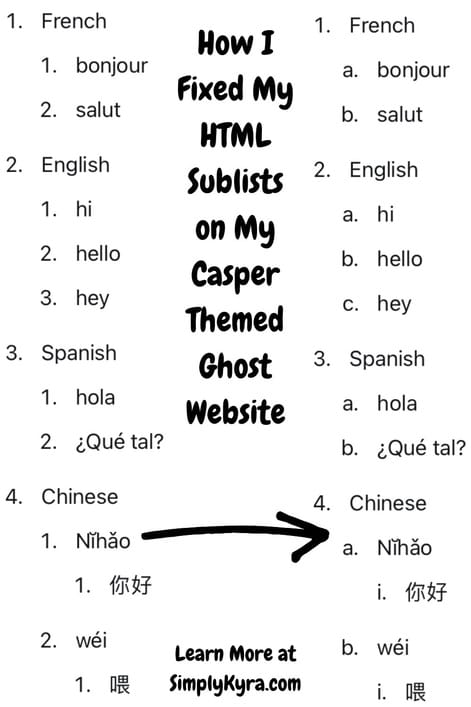
A bit ago I wanted to create a list that indented with sublists in several spots including to three layers in one particular location. Surprisingly I realized this simple process wasn't working and so I needed to track down the why and fix it. Here's how I got it working on my Casper themed Ghost website in case you have the same problem.
---
## TLDR: Final HTML and CSS
I go into the journey, the why, and the what below but in case you want to jump directly to the solution here's my final `HTML` and `CSS` used to generate the proper, in my case, numbering and lettering system.
```html
- French
- bonjour
- salut
- English
- hi
- hello
- hey
- Spanish
- hola
- ¿Qué tal?
- Chinese
- Nĭhǎo
- 你好
- wéi
- 喂
```
```css
.list-alphabet {
list-style: lower-alpha;
}
.list-roman {
list-style: lower-roman;
}
```
## Slow Realization
When I first started typing my list out I thought nothing of the numbers and sub-letters shown as the post interface in Ghost seemed to be working properly. Then I went to preview my post for the first time and realized something was affecting the final list as each sublist was just a new list of the original numbers `1, 2, 3...` rather than the expected letters `a, b, c...` or roman numerals `i, ii, iii, iv...`.
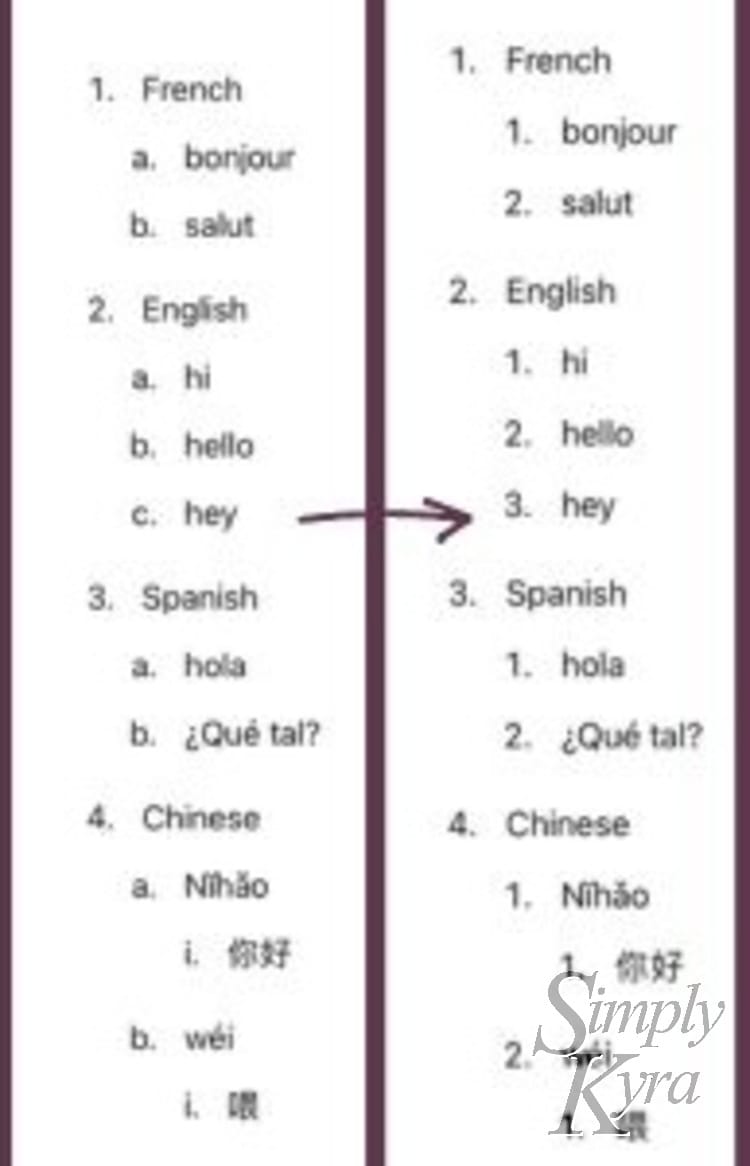
Typing it out looked fine (left) but the resulting page didn't (right).
I was worried but not too worried and simply switched to using an `html` code block to create my list. I figured it was a bit more cumbersome but should work... but I had the same issue going through it as, looking back, it generated the same `html` with the same `css` causing the same output on the webpage.
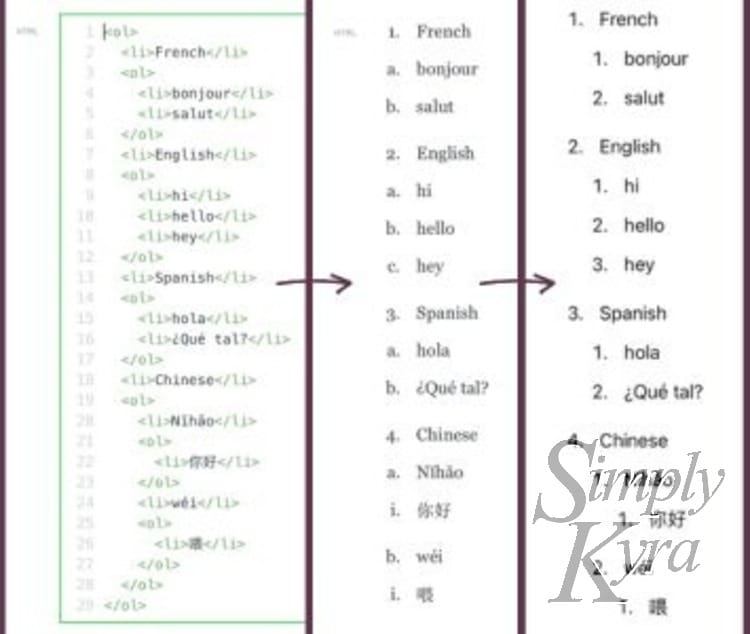
Using an html code block (left) resulted in a decent list in the editor (center) but didn't number properly on the final preview page (right).
## Example HTML
For this post I created a simple list with one to two layers of sublists to highlight both this issue and later its solution. For your convenience here's the original `html` used at this step in the process:
```html
- French
- bonjour
- salut
- English
- hi
- hello
- hey
Spanish
- hola
- ¿Qué tal?
Chinese
- Nĭhǎo
- 你好
- wéi
- 喂
```
I did this example with ordered lists `ol` and haven't checked if there's an issue with the unordered `ul` bullet points. That said I found `css` when hunting down my solution that suggests this might also be helpful to you regardless which list type you're using.
## CSS
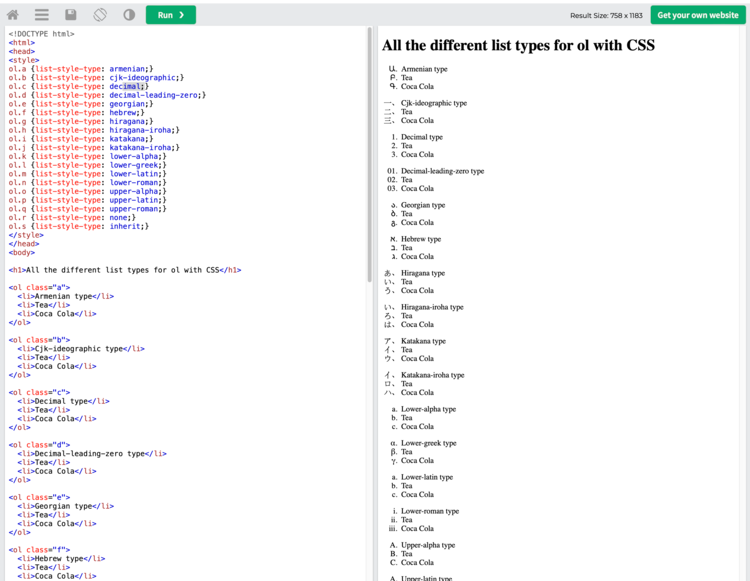
Like all problems in web development I figured it must have something to do with the `css` but rather than jump straight to the files I instead went online and found a post through W3Schools called [HTML Lists and CSS List Properties](https://www.w3schools.com/CSS/css%5Flist.asp?ref=simplykyra.com) and then found their handy html editor that shows [All the different list types for ol with CSS](https://www.w3schools.com/Tags/tryit.asp?filename=tryhtml%5Fol%5Ftype%5Fall%5Fcss&ref=simplykyra.com).
[](https://www.w3schools.com/Tags/tryit.asp?filename=tryhtml%5Fol%5Ftype%5Fall%5Fcss&ref=simplykyra.com)
Screenshot, taken on May 14th 2024, of the handy html editor I found through [W3Schools](https://www.w3schools.com/Tags/tryit.asp?filename=tryhtml%5Fol%5Ftype%5Fall%5Fcss&ref=simplykyra.com).
With that understood I realized I was probably seeing the result of some `css` application of the `decimal` format so I next went through each of my theme's `css` files searching, with `ctrl f` for the words: `list-style: decimal`. And I found it! Apparently in the `Global.css` file it's imposed on all of the ordered lists. Plus right above it the list style `disc` is set for all the unordered lists so their formatting would in fact affect either type of list and these steps can fix it!
```css
ul {
list-style: disc;
}
ol {
list-style: decimal;
}
```
`Global.css` contains `CSS` to set all ordered lists to decimal and the unordered lists to disc.
## My Fix
With the cause figured out I considered altering their `css` but wasn't sure if that would cause weird issues elsewhere on my website. As such I left their `ul` and `ol` css in and instead added two more sections I could link specifically to whenever I wanted to overrule the default css in my posts.
```css
ul {
list-style: disc;
}
ol {
list-style: decimal;
}
.list-alphabet {
list-style: lower-alpha;
}
.list-roman {
list-style: lower-roman;
}
```
I left the original text in the `Global.css` file and added my specific override for both alphabet and roman indentation.
Then in my `html` I can use that class whenever I specifically want to use one of those sublists and otherwise leave the list alone.
```html
- French
- bonjour
- salut
- English
- hi
- hello
- hey
- Spanish
- hola
- ¿Qué tal?
- Chinese
- Nĭhǎo
- 你好
- wéi
- 喂
```
This results in similar looking text in my editor but a perfectly looking list in my post's preview.
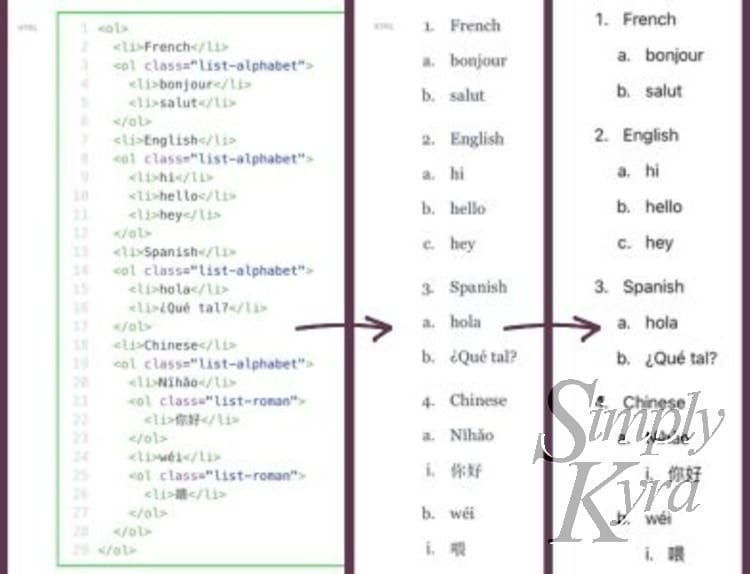
And it was fixed! Such a simple problem and, in the end, a quick `css` solution. Hope this helps you out and you’re having a great day.
---
If you’re interested in getting any of my future blog updates I normally share them to my [Facebook page](https://www.facebook.com/SimplyKyra/) and [Instagram account](https://www.instagram.com/simplyartsykyra/?ref=simplykyra.com). You’re also more than welcome to join my email list located right under the search bar or underneath this post.